I Have Released a Dedicated Editor for Writing Footnoted Papers in Markdown
I built an editor for writing academic papers on Linux and Mac, called Genkōdai (原稿台), and released it on GitHub. It is a tool for writing papers in Quarto (.qmd), a Markdown-based format, and it is designed above all to make the work of attaching sources to footnotes easier.

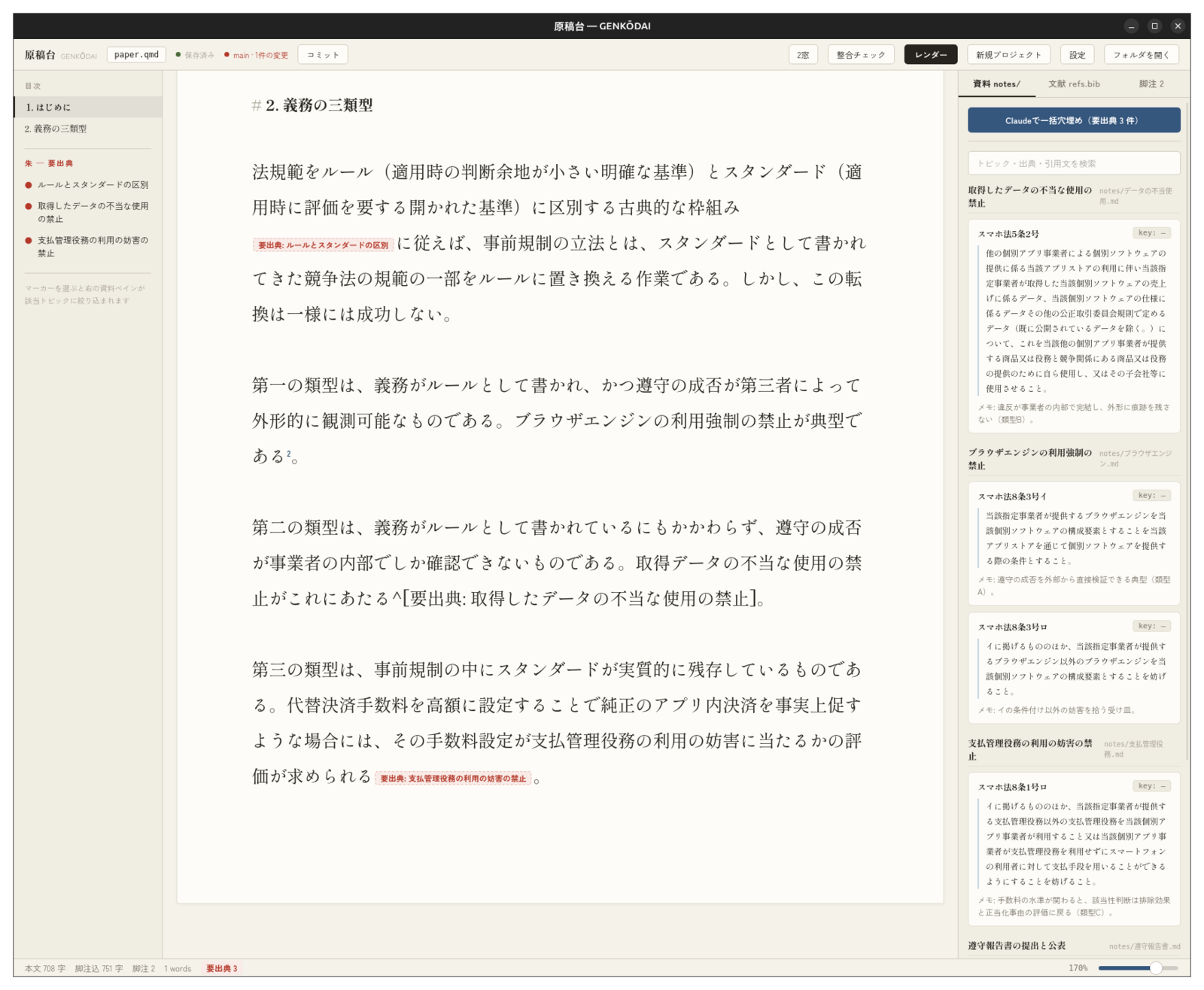
Since around July 2026, I have basically stopped using Word to write papers. The main reason is that typing footnotes in by hand, one by one, was a real chore. Since I take notes while reading the literature anyway, what I wanted was for the tool to place the right footnotes from those notes automatically and tidy up the citation style as well. On top of that, when I ask Claude Code to read a manuscript and check it for typos and the like, having it written as a Markdown file is simply more convenient. And, quite simply, Word is sluggish and its UI is not very pretty, so as a tool to spend long hours with it had always bothered me (apps built with the Tauri framework are light and look clean).
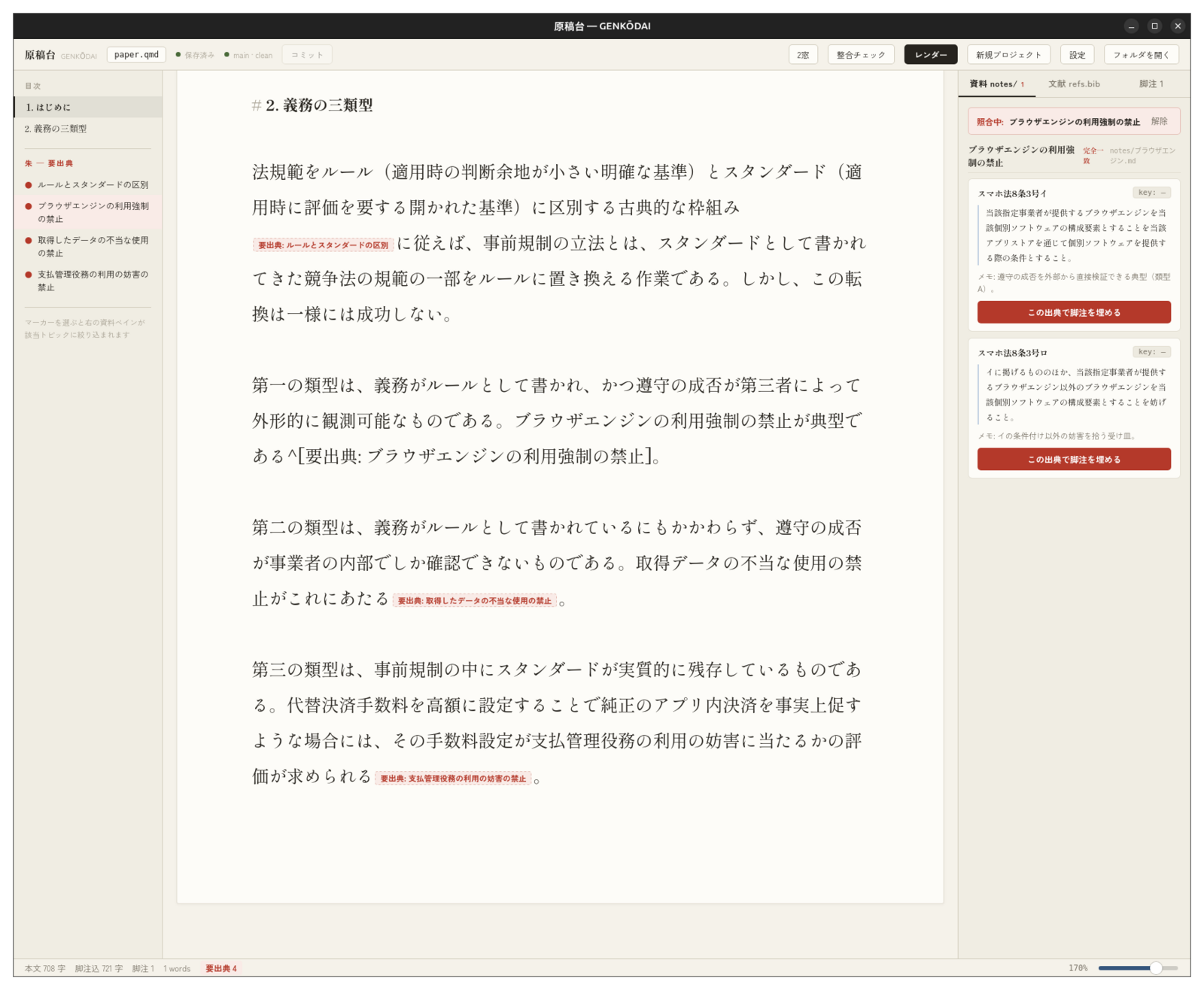
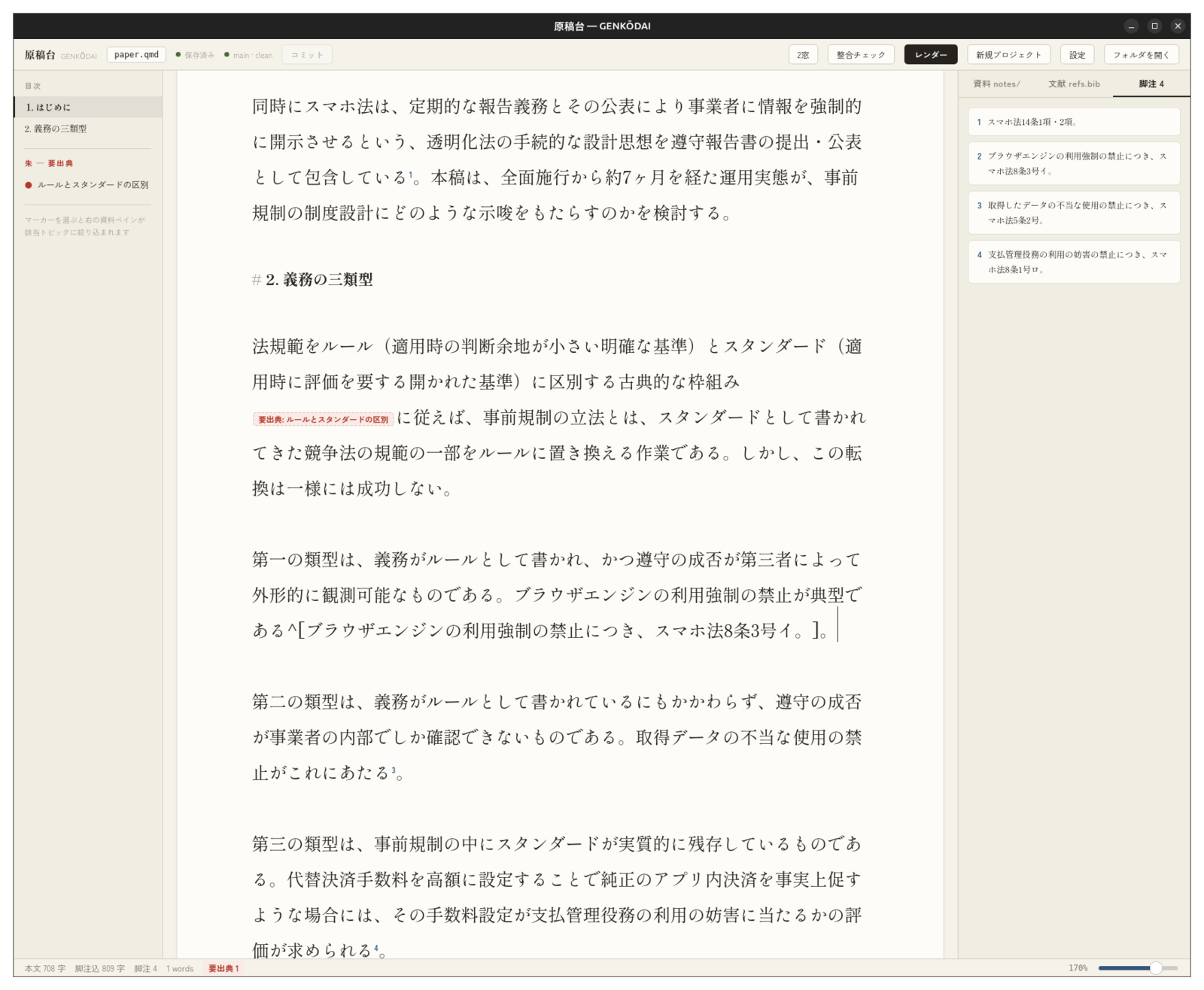
In short, this is how writing with Genkōdai works. I collect excerpts from what I read in notes organized by topic rather than by paper, and each excerpt is written as a set: the source, the quotation (verbatim), and my own comment. When I need a source while writing the main text, I don’t go looking for it on the spot; I just drop a “citation needed” marker and keep going. Later, when I click the marker, the excerpts for that topic are listed as source-and-quotation pairs, so I can look at the original wording, pick the right one, and replace the marker with a footnote at the press of a button. If there is no matching excerpt, it simply shows “none found” and never makes up a plausible-looking candidate.
I decided to release it because, to someone who doesn’t know what actually goes on, writing papers in Markdown could look exactly like having Claude Code generate the whole paper. All the more so because, if you look at the properties of a Word file exported from Genkōdai, the editing time shows up as something like one second… So I thought that properly publishing both the idea and the technical specification might also be a way of protecting myself.
In fact, what I was most careful about in building Genkōdai was not letting AI create sources. There is a feature that lets Claude Code search for footnote candidates in one go, but Claude is only given permission to read files and cannot rewrite the manuscript. It may search only within the excerpts I have taken myself; whenever it proposes a candidate, it must copy the excerpt’s original wording exactly, and the app mechanically checks whether that wording really exists, character for character, in my notes, discarding anything that doesn’t match. “None found” is treated not as a failure but as a finding that there is still literature left to read. I decide one by one whether to accept each candidate, and a history (git) is recorded automatically before and after each run, so every change can be traced afterwards. It is closer to the truth to call it a tool with a mechanism built in to keep AI from writing than a tool for getting AI to write papers.
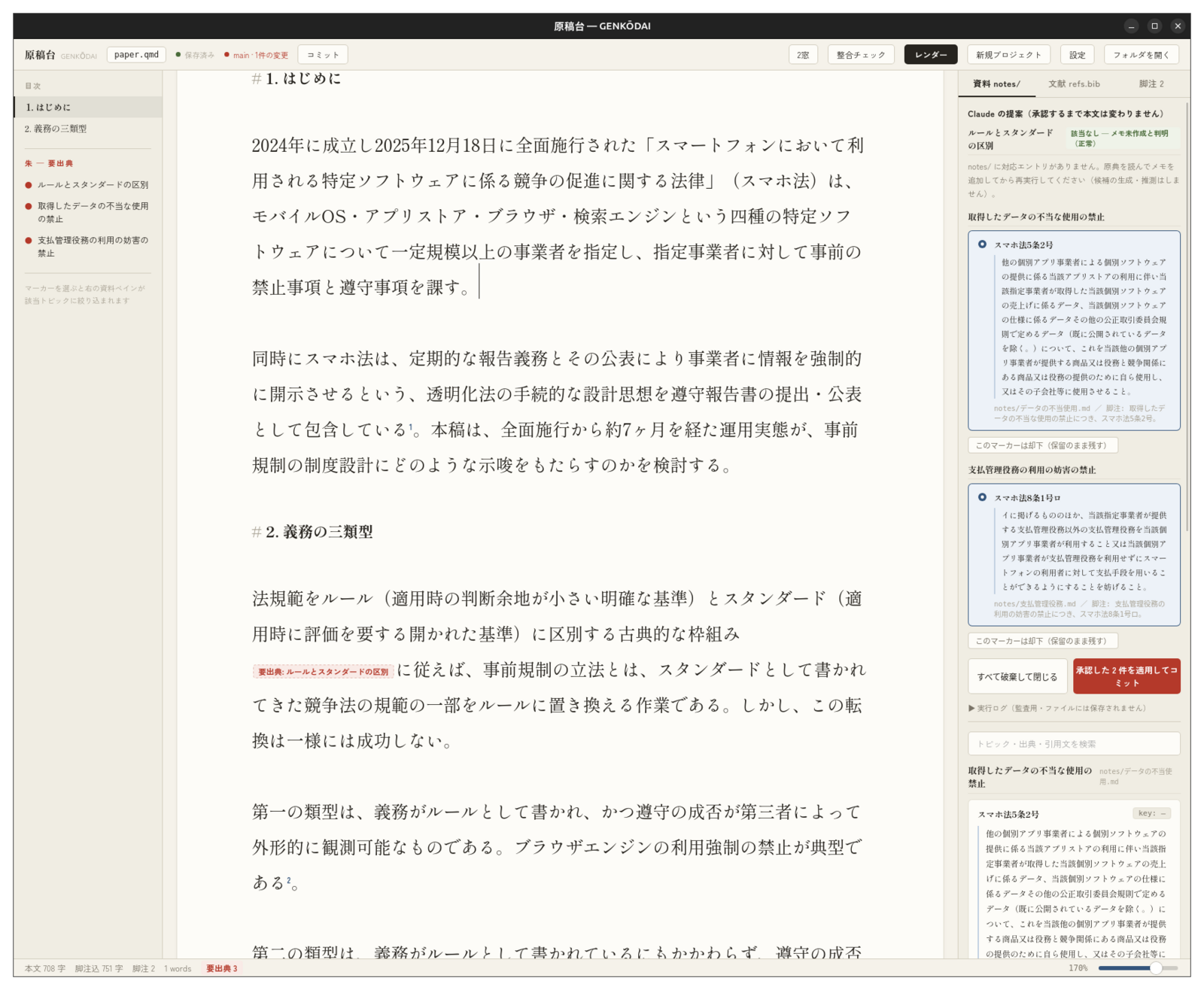
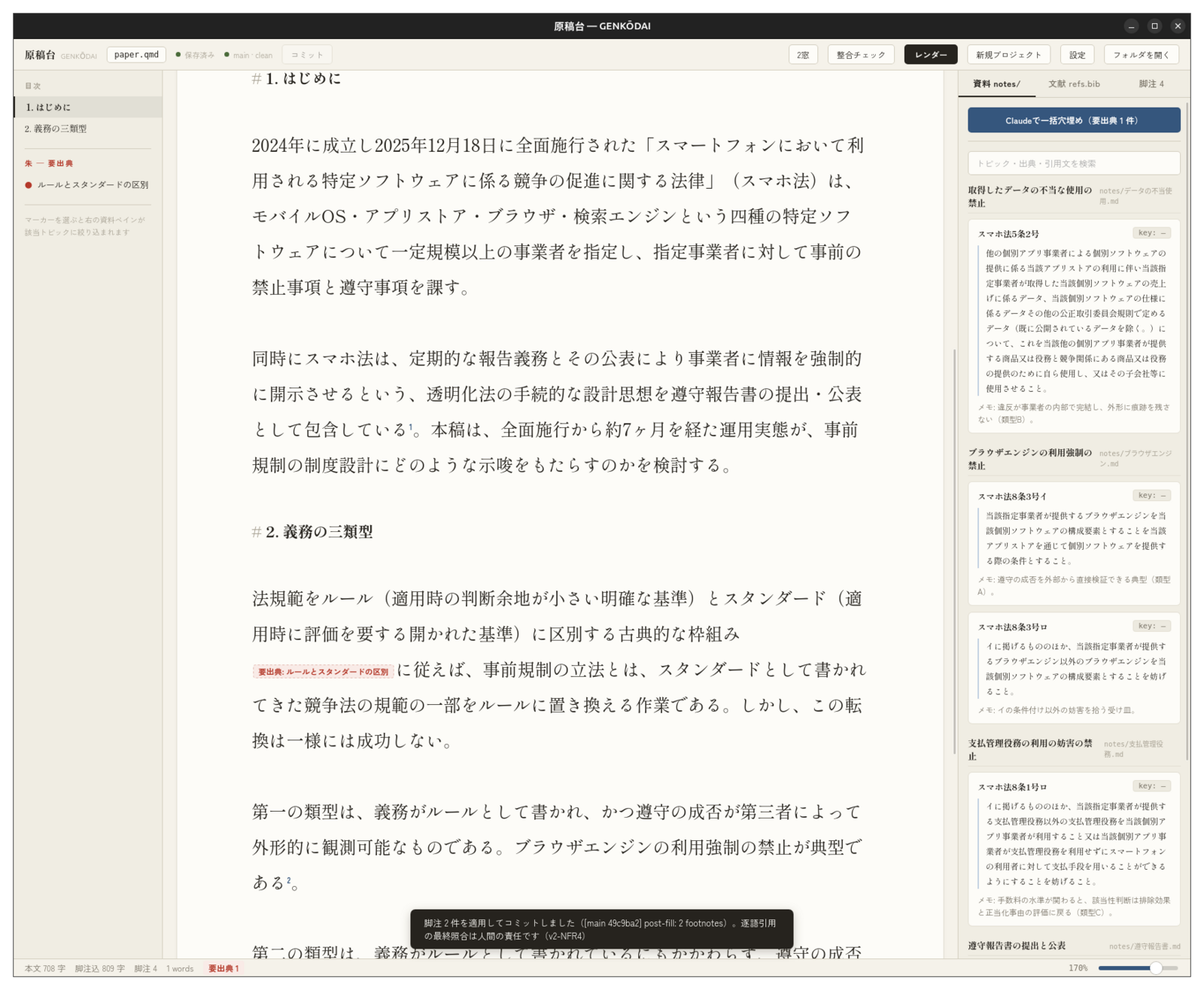
The screenshots in this post use a sample manuscript made for publication.
That said, since I built it around my own way of writing, it requires that way of working as is, including how the notes folder is organized, and for now it only runs on Mac and Linux. There is no installer either, so to use it you need to build it from source. I would like to do something more about the design and the name, and I hope to improve it at some point, including Windows support. The license lets you use and modify it freely for non-commercial purposes (PolyForm Noncommercial). The design documents are published alongside it, so you are very welcome to borrow just the approach rather than the tool itself.
Building an editor that fits my own way of writing, makes the work more efficient, and properly harnesses AI so that it isn’t pushed into unwarranted inference was great fun and a worthwhile experience.
This post was translated from the Japanese original.